How to Avoid Double Bookings in Your Rental Business
A double booking costs more than one lost rental. Learn why double bookings happen in rental businesses and 5 simple ways to avoid them for good.
Rental369 Team
5 min read
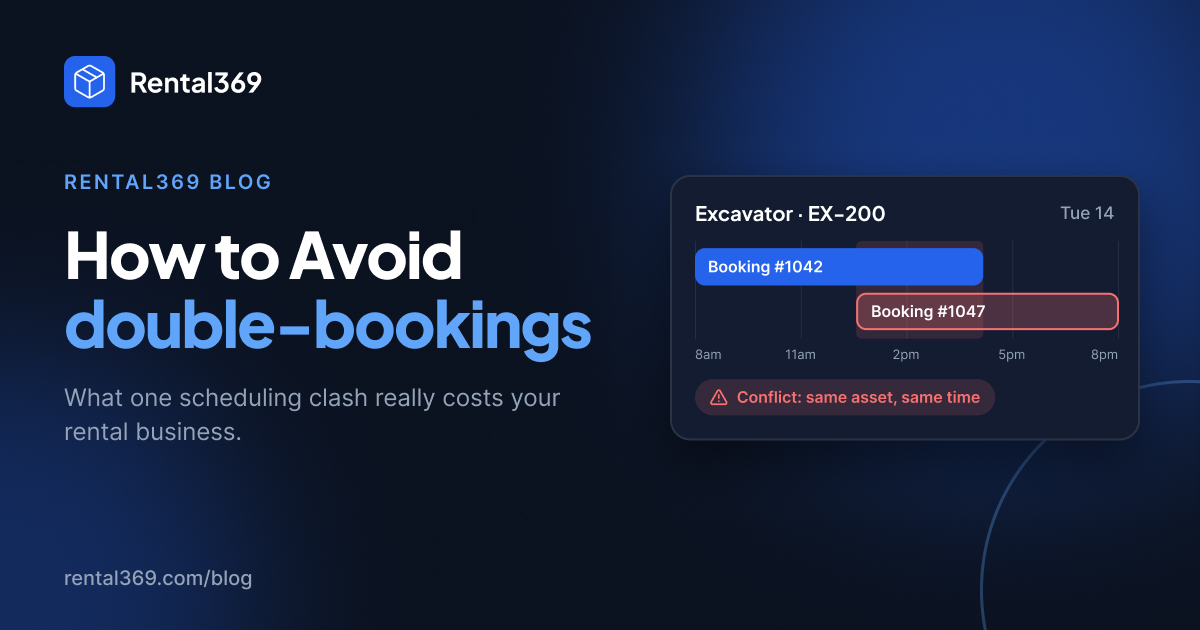
It's 8am. Your customer arrives to collect the excavator they booked two weeks ago. But the excavator left the yard an hour earlier with someone else.
Every rental business owner knows that sinking feeling. Most people treat a double booking as a one-off mistake: say sorry, sort it out, move on. But a double booking costs much more than one rental, and in most rental businesses it can be avoided with a few simple habits.
In this guide, you'll learn what a double booking really costs you, why double bookings happen, and 5 practical ways to avoid double bookings in your rental business.
What is a double booking in a rental business?
A double booking happens when the same item, such as an excavator, a generator, a sound system or a car, is promised to two customers for the same dates. One of them will leave disappointed.
What a double booking really costs you
1. The rental you lose
The most obvious cost first. One of the two customers leaves without what they came for, and that revenue goes with them, often to a competitor down the road.
2. The money you give away to fix it
To save the relationship, you offer a discount, a free day or an upgrade to a more expensive item. Sometimes you refund a deposit, or even pay to hire a replacement from another company. A clash you could have avoided ends up costing you money directly.
3. Your team's time
Someone has to make the awkward phone calls, find an alternative, rearrange deliveries and calm down an unhappy customer. That's hours of staff time spent fixing a problem instead of serving new customers.
4. A customer who doesn't come back
This is the expensive one. A customer let down once may never book with you again. If they're a contractor, an event planner or a business that rents regularly, you haven't lost one rental. You've lost every rental they would have made with you in the future.
5. Your reputation
Unhappy customers talk to colleagues, in local groups and in online reviews. One "they gave my booking away" review on Google can quietly put off customers you'll never even hear from.
The real cost of a double booking = the lost rental + the compensation + staff time + the customer's future business + your reputation.
Why double bookings happen in rental businesses
Double bookings are rarely caused by careless people. They're caused by scattered systems. The usual culprits:
- Several booking sources. Bookings come in by phone, WhatsApp, email, walk-in and online, and they don't all end up in one place. For many rental businesses in India, WhatsApp alone brings in a large share of enquiries, and those chats are easy to miss.
- Spreadsheets and paper diaries. They only show what someone remembered to write down. Two people can update different copies at the same time.
- No live view of availability. Staff can't see, there and then, whether an item is truly free for the dates requested.
- Forgotten maintenance. An item looks available, but it's due for servicing or still in the workshop.
- Late returns. An item due back today is still on site, and the next booking was already confirmed.
- Everything lives in one person's head. It works until that person is off sick, on holiday or simply busy.
How to avoid double bookings: 5 simple steps
1. Keep one source of truth for every booking
Every booking, from every channel, should go into a single system. If your team has to check three places to answer "is it available?", sooner or later someone will check the wrong one. A shared [booking calendar] is the easiest way to do this.
2. Check real availability before you confirm
Before you say yes to a customer, check the item's real availability for those exact dates, including existing bookings, maintenance and any time it's set aside for other uses. Never confirm from memory.
3. Schedule maintenance like a booking
Treat servicing and repairs as blocked time on the item's calendar. If the workshop has it, it can't be rented out. [Maintenance scheduling] that sits on the same calendar as your bookings makes this automatic.
4. Add buffer time between rentals
Leave time for returns, inspection, cleaning and transport between bookings. A small buffer prevents a lot of "it's not back yet" moments.
5. Give your whole team the same live view
Your counter staff, delivery drivers and managers should all see the same live schedule, not their own copies.
Can a spreadsheet prevent double bookings?
A spreadsheet can work when you have a few items and one person taking bookings. Once you have more items, more staff or bookings coming in from WhatsApp, phone and walk-ins, spreadsheets start to fail: copies go out of date, nobody sees changes live, and nothing warns you about a clash. That's usually the point where rental businesses move to rental booking software.
How Rental369 helps you avoid double bookings
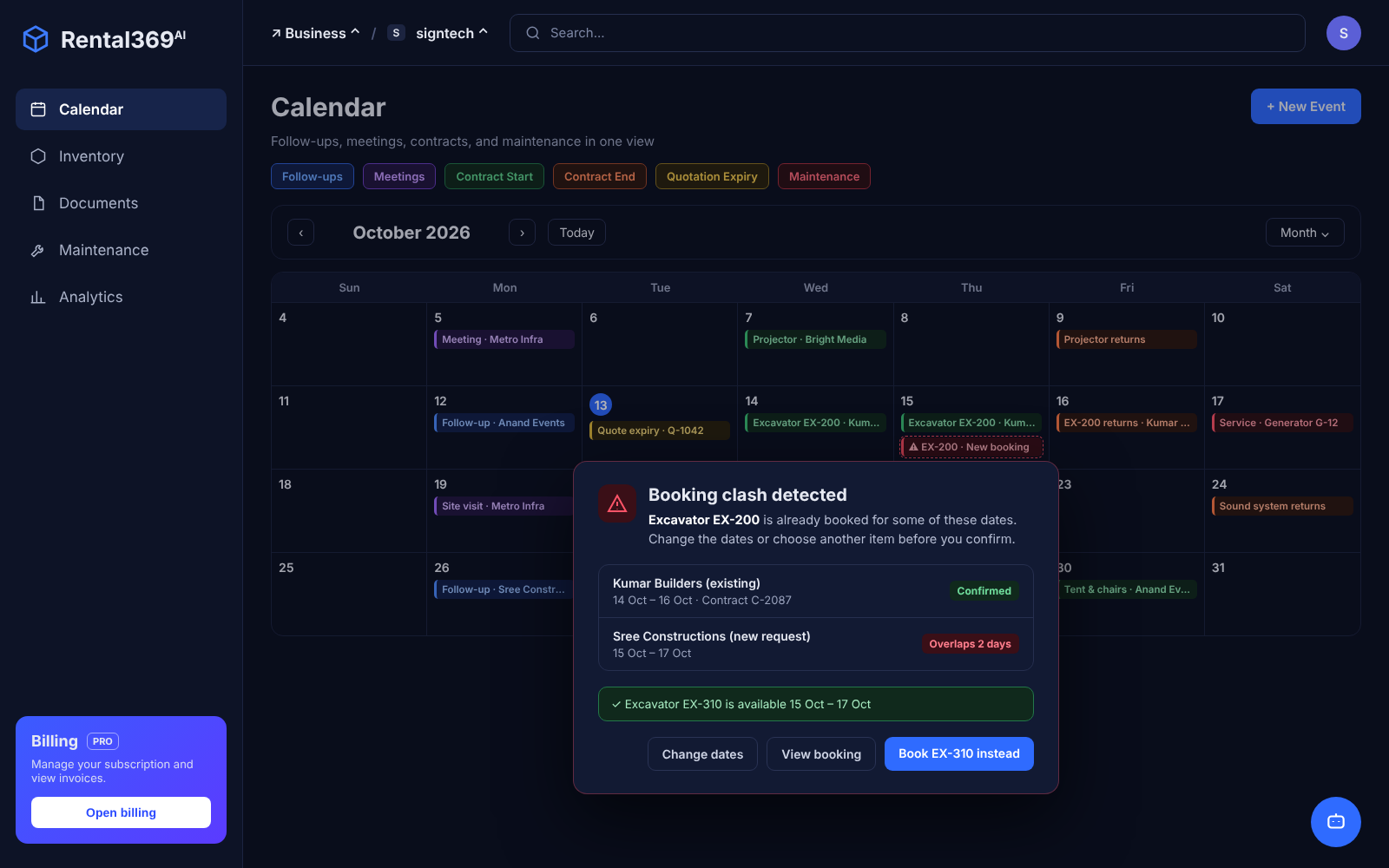
Rental369 keeps your inventory, bookings, customers, contracts, invoices and maintenance in one connected workspace. Before you confirm a rental, it checks the item's availability against existing bookings, scheduled maintenance and other planned use, so clashes are caught before they reach a customer.
Your whole team sees the same schedule, and you can stop relying on notebooks, spreadsheets and memory.
The bottom line
A double booking is never just one lost rental. It's lost money, lost time and often a lost customer. The good news is that it's one of the most preventable problems in a rental business. Put every booking in one place, check real availability before confirming, and double bookings become rare.
Ready to stop double bookings for good? Get started with Rental369 ->
Frequently asked questions
How do I avoid double bookings in my rental business?
Keep every booking in one system, check real availability before confirming, block out maintenance time, add buffer time between rentals, and make sure your whole team sees the same live schedule.
What causes double bookings in equipment rental?
The most common causes are bookings coming from several channels (phone, WhatsApp, email, walk-in), spreadsheets or paper diaries that aren't updated live, forgotten maintenance, late returns, and booking information kept in one person's head.
What is the best way to track rental bookings?
The most reliable way is a single booking calendar that every staff member uses, with live availability for each item. Rental booking software does this automatically and warns you before a clash happens.
Can rental software stop double bookings completely?
Rental software checks availability before a booking is confirmed, so it catches most clashes automatically. It works best when every booking, including WhatsApp and phone bookings, is entered into the system straight away.