Everything your rental business needs. All connected.
From the first enquiry to the final invoice, Rental369 brings inventory, bookings, customers, billing, and maintenance into one workspace, so your team can stop juggling spreadsheets.
Feature availability depends on your plan.
One platform, every rental workflow
Each part of Rental369 works on its own, and works better together. Here's a closer look at what your team gets.
Rental inventory management, from availability to return.
Organize rental assets, pricing, groups, and availability with Rental369 inventory management software.
ExploreKeep every booking connected to the assets it needs.
Manage rental bookings, availability, and customer details in a connected cloud workspace.
ExploreConnect rental agreements, usage, and invoicing.
Manage rental agreements, invoices, additional charges, and usage records with Rental369.
ExploreKeep the conversation moving—from enquiry to quotation.
Organize rental leads, customer records, enquiries, quotations, and follow-ups with Rental369 CRM.
ExploreKeep service work connected to your rental assets.
Organize rental maintenance schedules, work orders, suppliers, and expenses in Rental369.
ExploreOne operation. A clearer view across branches.
Organize rental companies, branches, and team access with Rental369 business workspaces.
ExploreAsk about your rental business. Review the next step.
Explore Rental369’s AI-assisted rental workflows for business information and supported draft actions.
ExplorePreviews use sample data for illustration.
See it in action
Built for the way your team works.
A look inside the Rental369 workspace, from setting up your first item to asking the assistant for help.
Choose the category for each rental item, from vehicles and aviation to events and property. Category-specific fields follow, so every record captures the details you need.
Learn more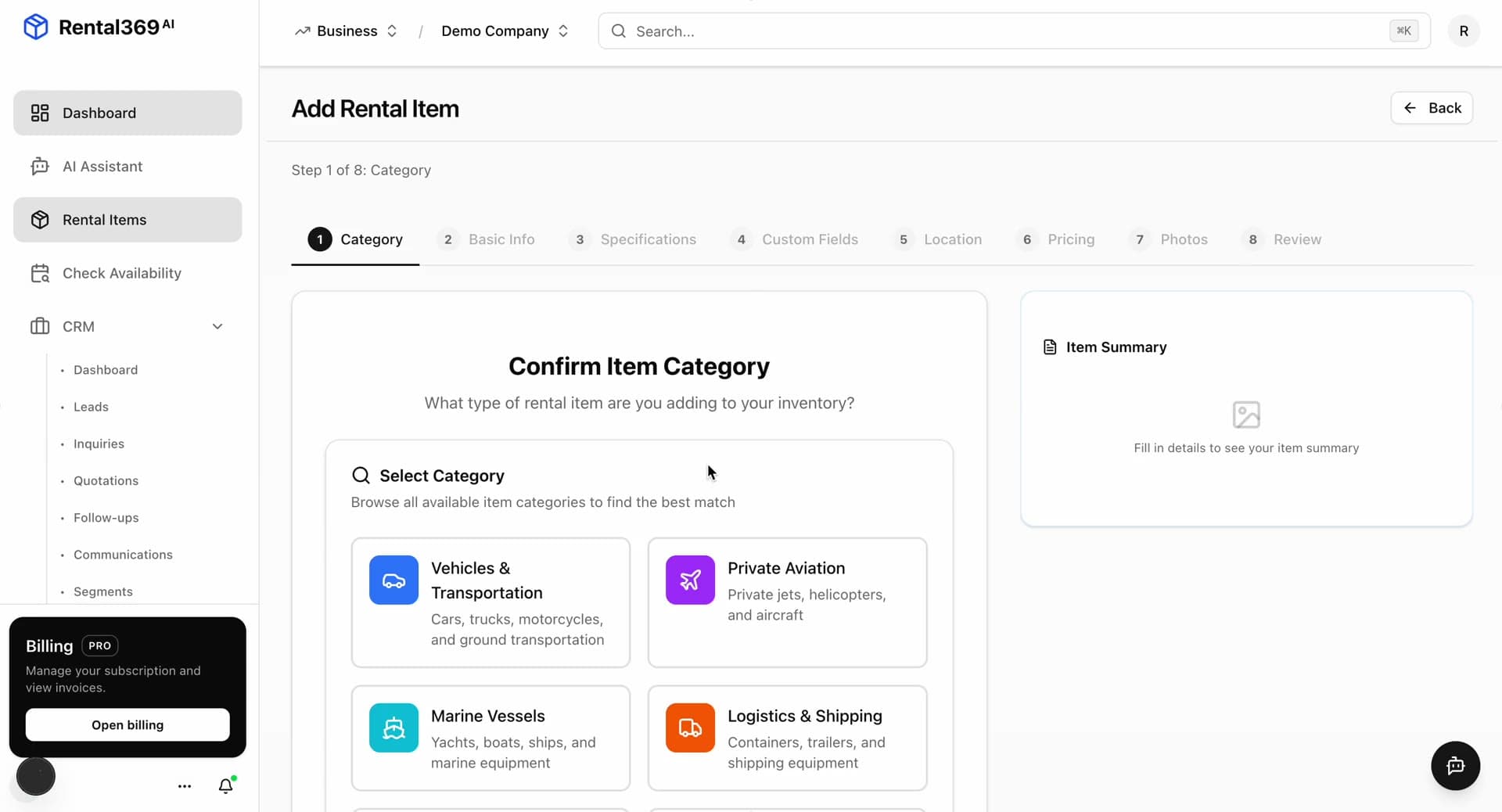
Plans that grow with your operation.
Start with the essentials and add team members, branches, and inventory as your business grows. Compare what each plan includes on the pricing page.
Compare plans- Cloud-based workspace
- Category-specific item fields
- Agreements and invoices
- Customer records and follow-ups
- Maintenance tracking
- Team access and branches
Bring your rental operation together.
Explore the plans, or tell us about the workflows your team needs.