How to Schedule Maintenance for Rental Equipment
Missed servicing means breakdowns on a customer's site. Learn how to schedule maintenance for rental equipment in 5 simple steps, without notebooks.
Rental369 Team
5 min read
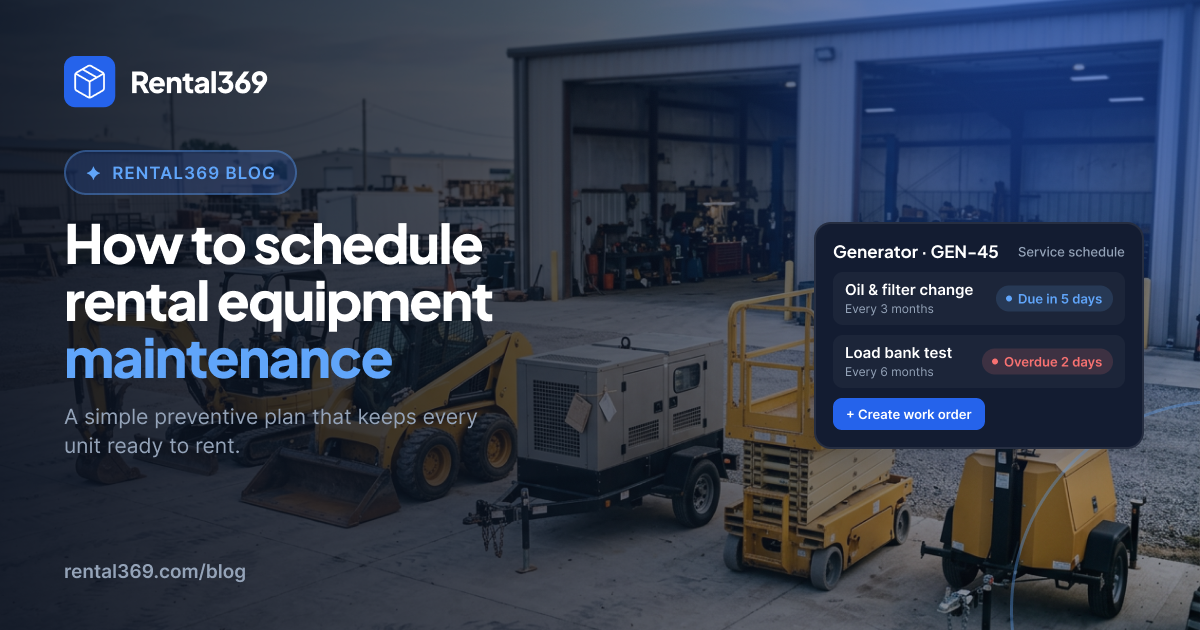
How to Schedule Maintenance for Rental Equipment
A generator stops halfway through a customer's event. An excavator breaks down on day two of a week-long job. The customer calls, annoyed, and you're sending a replacement, a mechanic and an apology all at once.
Most of these breakdowns don't come out of nowhere. They happen because a service was missed. The date was in a notebook, in a spreadsheet nobody opened, or in one person's head.
The good news: you don't need a big workshop team to fix this. You need a simple system. In this guide, you'll learn how to schedule maintenance for rental equipment in 5 simple steps, so your items are serviced on time and ready to rent.
Why maintenance gets missed in rental businesses
Rental equipment works harder than equipment you own and use yourself. It goes out to different customers, on different jobs, and comes back in different shape. That makes servicing harder to keep track of. Here's where it usually goes wrong:
- Service dates live in one person's head. When they're busy or away, nobody else knows what's due.
- Bookings come first. When an item is in demand, it's easy to push the service back "just one more rental".
- No check when items come back. Small faults go unnoticed until the next customer finds them.
- No service history. Nobody can say when an item was last serviced, or what was done.
- Repairs are reactive. Servicing only happens when something breaks, which is the most expensive time to do it.
If a few of these sound familiar, you're not alone. The fix is a simple routine that doesn't depend on anyone's memory.
How to schedule maintenance for rental equipment in 5 steps
Step 1: List every item you rent out
You can't schedule what you can't see. Start with a complete list of your rental items. For each one, note:
- The item name and a unique ID or serial number
- Its current condition
- When it was last serviced, if you know
If you have several of the same item, list each one separately. Two identical generators can have very different service needs.
Step 2: Set a service interval for each item
Decide how often each item needs servicing. There are two common ways to do this:
- By time: for example, every 3 months.
- By use: for example, every 250 hours of running time, or every 10 rentals.
Start with the manufacturer's manual. It usually gives recommended service intervals. Then adjust based on how hard the item works in your business.
Step 3: Put every service date on one calendar
This is the step that makes the biggest difference. Put every upcoming service on the same calendar you use for bookings.
When bookings and service dates sit side by side, you can see clashes early. You won't promise an item to a customer on the day it's due in the workshop.
Step 4: Check every item when it comes back from rent
A quick return check catches problems before the next customer does. Keep it short so your team actually does it:
- Look for visible damage
- Check fluids, tyres, cables or batteries, depending on the item
- Test that it starts and runs
- Note anything unusual
If something needs fixing, mark the item as "in repair" so nobody books it by mistake.
Step 5: Keep a service history for every item
Every time an item is serviced or repaired, record what was done, when, and by whom.
Over time, this history shows you which items keep breaking down and which ones are worth keeping. It also helps you answer customers who ask when an item was last serviced.
Notebook vs Excel vs rental software
You can follow these 5 steps with any tool. The question is how much work each one takes to keep up.
Notebook
A notebook costs almost nothing to start. But only one person can use it at a time, service dates sit apart from your bookings, and old service records are hard to find. It rarely works when the owner is away.
Excel or Google Sheets
A spreadsheet is low cost, and your team can share one file. But you have to build the system yourself and remember to update it. Service dates and bookings usually live in separate places, and the file gets messy as you grow.
Rental software
Rental software comes with a monthly subscription. In return, everyone sees the same live data, service dates sit on the same calendar as your bookings, and each item's service history is kept with the item. It keeps working when the owner is away.
A notebook or spreadsheet is fine when you have a handful of items. As you grow, it gets harder to keep everything in sync. That's when rental software starts to save real time.
Rental369 lets you schedule servicing for every item and see it on the same calendar as your bookings and contracts. Each item's status and condition stay up to date, so your team always knows what's ready to rent. [Learn more about Maintenance in Rental369]([Maintenance feature page URL]).
Frequently asked questions
How often should rental equipment be serviced?
It depends on the item and how hard it works. Start with the manufacturer's recommended intervals, then adjust based on use. Items that go out often, or work in tough conditions, usually need servicing more often.
Should I schedule maintenance by time or by hours used?
Use hours or number of rentals for items that run engines or motors, like generators and machinery. Use time, such as every 3 or 6 months, for items that don't track hours, like tents or furniture. Many businesses use both: whichever comes first.
What should I check when equipment comes back from rent?
Look for visible damage, test that it works, and check the basics for that item, like fluids, tyres, cables or batteries. Write down anything unusual so it can be fixed before the next rental.
Can I schedule maintenance in Excel?
Yes. A spreadsheet works for a small number of items. It gets harder as you grow, because service dates sit apart from your bookings and the file is easy to forget to update.
What is preventive maintenance for rental equipment?
Preventive maintenance means servicing items on a schedule, before they break. It's the opposite of fixing things only after a breakdown. For rental businesses, it means fewer failures on a customer's site and more items ready to rent.
Keep your equipment ready to rent
Scheduling maintenance doesn't have to be complicated. List your items, set a service interval for each, put the dates on one calendar, check items when they come back, and keep a history. Do these five things and fewer breakdowns will reach your customers.
Want to stop double bookings too? Read our guide on how to avoid double bookings in your rental business.
Run your entire rental business from one place. Rental369 brings your inventory, bookings, customers, contracts, invoices and maintenance together in one connected workspace.